Apple iPad Pro 12,9" 2nd gen dan yedeklenen kişiler, takvim, fotoğraflar ve videolar
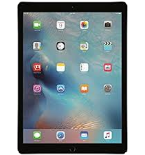
Güvenli buluta senkronizasyon için mevcut kılavuzlar
Desteklenen işlevler
- Kişiler senkronizasyonu
- Takvim senkronizasyonu
- fotoğraf senkronizasyonu
- video senkronizasyonu
- Otomatik senkronizasyon

kişiler, takvim, fotoğraflar ve videolar verilerinizi Apple iPad Pro 12,9" 2nd gen cihazından çevrimiçi bir depolama alanına ve geri aktararak güvende ve güncel tutun.
Apple iPad Pro 12,9" 2nd gen cihazını PhoneCopy desteklenmektedir.
Lütfen aşağıdaki ayarların ürün yazılımı sürümüne bağlı olarak biraz değişebileceğini unutmayın.
Talimat metni - Nasıl yedekleme yapılır
Apple iPad Pro 12,9" 2nd gen ile
Ayrıca ekran görüntüleriyle desteklenmiş ayrıntılı kılavuzlarımızı da kullanabilirsiniz: kişilerin iPhone/iPad'den nasıl aktarılacağına veya kişilerin iPhone/iPad'e nasıl aktarılacağına bakın.
- PhoneCopy for iPhone / iPad'i App Store'dan yükleyin.
- Uygulamayı başlatın ve görüntülenen sihirbazı izleyin. Zaten bir PhoneCopy hesabınız varsa giriş yapın, yeni bir hesap oluşturmak istiyorsanız kaydolun.
- Kişilere erişimi yetkilendirin ve ardından senkronize etmek istediğiniz kaynakları (hesapları) seçin. Ardından medyaya erişimi yetkilendirin ve fotoğraf ve/veya videoları senkronize etmek isteyip istemediğinizi seçin. PhoneCopy'ye medyanıza erişim izni vermezseniz, yalnızca kişileriniz senkronize edilecektir.
- PhoneCopy hesabınızda zaten medya varsa, bunları bu cihaza senkronize etmeyi (indirmeyi) tercih edebilirsiniz.
- Son olarak, tam senkronizasyonu gerçekleştirmek için Synchronize öğesine dokunun.
Takvimi senkronize etmeniz gerekiyorsa, iOS cihazlarıyla takvim senkronizasyonu kılavuzumuza bakın.
Senkronizasyon esnasında herhangi bir problemle karşılaşırsanız Yardım İsteyin
